


شرطة الأطفال - مكالمة وهمية
Oub Apps
I found شرطة الأطفال - مكالمة وهمية interesting because it takes a familiar parenting problem—getting a child to pause, listen, or settle down—and turns it into a pretend phone call from the children’s police. It is a free parenting app from Oub Apps, aimed at adults who want a quick theatrical prompt rather than a long conversation or a complicated behavior system. My first impression was that its value depends less on technical complexity and more on timing, tone, and whether your child understands that the call is pretend.
The app has been around since May 19, 2014, and its reach is considerable: it has passed 50 million installs and holds a 4.2 average from roughly 160 thousand ratings. Those numbers suggest that the basic idea is easy for many families to understand. Still, popularity does not automatically make it suitable for every household. I would treat it as a short-term attention tool, not as a replacement for calm boundaries, explanations, or consistent routines.
How the app feels in everyday use
The central experience is deliberately simple. A parent presents a simulated call from the children’s police, using the idea that an authority figure may speak to the child about unwanted behavior. That makes the app more like a piece of digital role-play than a conventional parenting tracker. There is no need to build a profile, maintain a reward chart, or learn a large set of controls before trying the concept.
That simplicity is also what makes it quick. If a child is refusing to leave a playground, arguing during a family outing, or ignoring repeated reminders at bedtime, the parent can use the pretend call as a change of scene. In my view, the strongest moment for it is when the child is distracted but not genuinely distressed. The phone creates a pause, and that pause gives the adult a chance to explain what needs to happen next.
I would not use it as the first response to every small act of disobedience. If the child learns that every disagreement leads to the same phone call, the effect can fade quickly. Worse, the child may begin to associate ordinary mistakes with frightening authority figures. The app works better when used sparingly, with the parent remaining present and making the real expectation clear afterward.
Latest News

Uber Eats Under Pressure: What Happens When Delivery Goes Wrong

How QR & Barcode Scanner Adapts to Android and iOS Innovations

Why Waze Navigation & Live Traffic Is Your Essential Travel Companion

CapCut Mastery: Unleash Hidden Features for Pro-Level Editing

How OS Updates Enhance Roblox Adventures

Teacher Simulator: Exam Time Turns Quick Classroom Judgments into a Repetitive Loop
Speed expectations and the value of a quick setup
Because this is a focused fake-call app rather than a feature-heavy parenting platform, I expect it to feel relatively direct during normal use. The practical advantage is not advanced processing or a large toolkit; it is the short path between opening the app and creating the pretend situation. For a parent dealing with a noisy room or a rushed transition, that matters more than decorative extras.
A useful routine is to decide on the message before opening it. For example, I might tell my child, “After this call, we are putting the toys away together.” That prevents the app from becoming an empty threat. The phone call should support a specific next step, not replace one. If the child complies, I would acknowledge it immediately rather than extending the performance.
The app is also more convincing when the adult keeps the interaction brief. A long, dramatic exchange can turn the moment into entertainment, especially for children who enjoy pretending. A short interruption followed by a clear instruction usually has a better chance of keeping the focus on the behavior.
Gallery
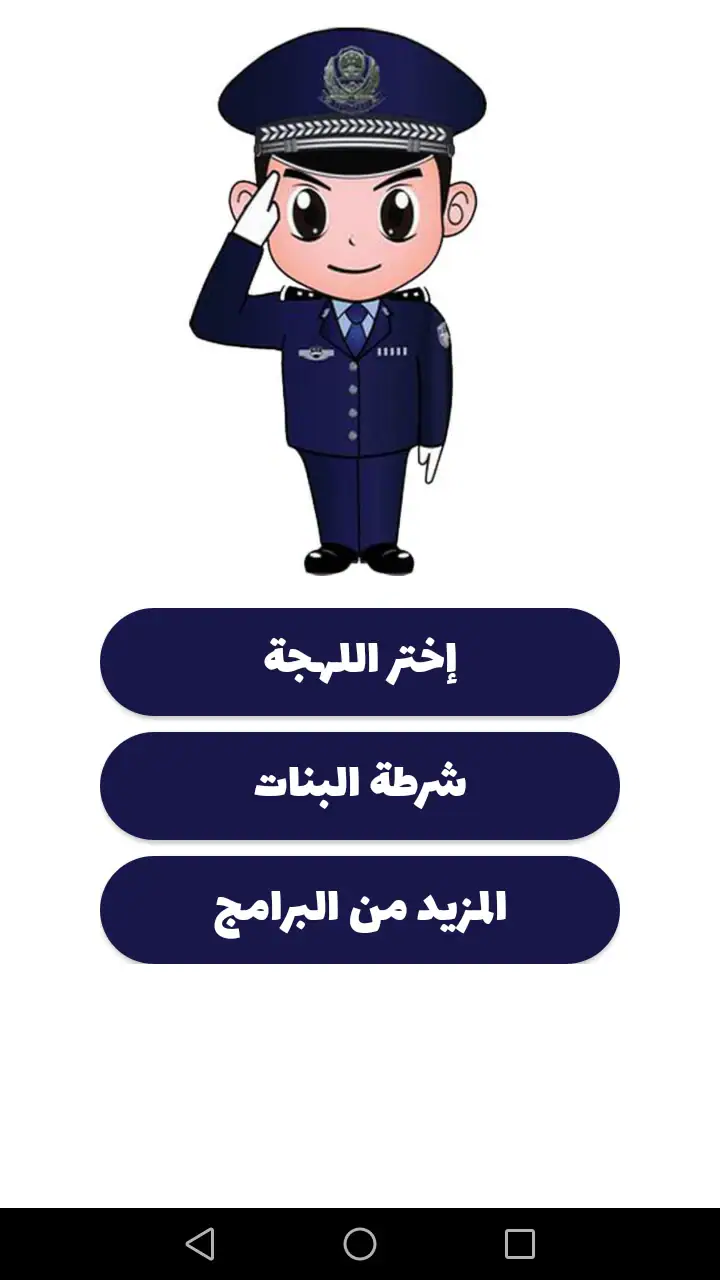
There is a practical trade-off here. A purpose-built app can be faster than inventing a pretend call yourself, but the parent still needs to manage the situation. It does not remove the need to choose the right moment, control the tone, and follow through. If you are looking for automatic behavior coaching, reminders, or a structured family routine, a parenting planner or reward-chart app may be a better fit.
What happens during heavy-use moments
The demanding moments are not necessarily long sessions. They are the situations in which the phone is opened suddenly, used in a noisy environment, or passed between an adult and a child while everyone is already impatient. A parent may be standing at a shop, in a car park, or near a busy family gathering. In those circumstances, the app’s usefulness depends on being understandable without much preparation.
I would prepare it before a predictable transition rather than waiting until the argument has reached its peak. If bedtime is usually difficult, I might open the app while the child is finishing a quiet activity, then use the call only if the agreed routine is ignored. This approach reduces fumbling and makes the tool feel like part of a plan instead of a sudden punishment.
Another realistic scenario is a child repeatedly running away during an outing. A pretend call may attract attention, but it should never be used instead of physically keeping the child safe or explaining the danger. The app can help create a pause, yet it cannot supervise a child, assess surroundings, or make a safety decision. In a situation involving traffic, water, stairs, or strangers, direct adult action comes first.
Heavy use can also expose the app’s behavioral limitation. If a family relies on it several times a day, children may start asking to hear the call, laughing at it, or treating it as a familiar game. That is not necessarily a technical failure; it is a predictable result of repetition. I would reserve it for occasional transitions and use ordinary instructions, choices, and consequences the rest of the time.
Stability, interruptions, and recovery
For a tool used in short bursts, stability means being ready when the parent needs it and not turning a tense moment into a longer technical problem. My expectations here are modest and practical. I would keep the app installed and opened once in advance, check the phone’s sound level, and avoid relying on it for a situation where a delayed or interrupted call would create confusion.
Phone behavior can vary depending on what else is happening on the device. An incoming real call, a muted setting, a low battery, or another interruption can undermine the performance. That is why I would not make the pretend call the only plan. A calm sentence from the parent should still work if the phone is silent or unavailable.
If the app is closed or interrupted, recovery should be simple in principle: return to the app, reset the situation, and continue without making the child wait while the adult troubleshoots. I would avoid repeatedly restarting the performance in front of the child. Once the moment has passed, the better choice is usually to put the phone away and handle the issue directly.
The app’s current version is 2.1.8, and it supports devices running Android 5.0 or newer. That gives it a broad compatibility range for older Android phones, although compatibility is not the same as a guarantee of identical behavior on every device. If you are using an older handset, I would test the sound and call flow at home before taking it into a public setting.
Device constraints parents should think about
The most important device constraint is not raw power. A fake-call tool does not need the same resources as a modern three-dimensional game, but the phone still needs to be usable in the moment. A small speaker, a muted profile, a locked screen, or a child already holding the device can all change how convincing or practical the experience feels.
I would also consider privacy and boundaries around the phone itself. Since the app is designed for adults using it with children, I would keep control of the device rather than handing it over as a toy. That helps prevent accidental settings changes and keeps the parent responsible for explaining what is happening. The child should not be left to interpret the pretend authority figure without context.
Older hardware may be perfectly adequate for this kind of focused app, but storage, operating-system support, and general device condition still matter. If the phone is already struggling with ordinary tasks, I would not assume that a parenting app will solve the problem. The sensible test is simple: install it ahead of time, open it, confirm that the relevant interaction is clear, and make sure the device can produce sound when needed.
The Everyone content rating makes the app broadly positioned for general audiences, but that does not mean every child will react positively. Age, temperament, previous experiences with police, and sensitivity to authority all matter. A child who becomes anxious easily may respond better to a visual timer, a choice between two activities, or a calm explanation from the parent.
Where it is stronger than usual alternatives
Compared with a standard timer, this app adds a story. A timer can show that five minutes are ending, but it does not create the same pretend social interaction. Compared with a reward chart, it is much faster to use, but it does not build a long-term record of progress. Compared with simply pretending to make a call yourself, it gives the adult a ready-made structure, although the parent’s voice and judgment remain more flexible.
That comparison reveals its best use: a brief attention reset. It is not a complete discipline method, and I would not expect it to teach emotional regulation, explain consequences, or help a child practice better choices. Those tasks require conversation and repetition outside the app.
There is also a cultural and emotional trade-off. Some families may find the children’s police idea familiar and effective as playful role-play. Others may feel that using police imagery to control behavior is too intimidating or sends the wrong message. In those homes, a fictional helper, a bedtime character, or a simple family rule may be more appropriate. The app should fit your parenting values, not dictate them.
Three practical ways to use it more responsibly
First, I would pair every pretend call with a concrete action. “Put the blocks in the box,” “hold my hand,” or “get into pajamas” is more useful than a vague warning about being reported. The child needs to know what success looks like. Once the action is complete, end the performance and return to normal conversation.
Second, I would use it as a bridge, not a trap. Before the call, give the child a chance to respond or choose between two acceptable options. If neither option works, the pretend call can mark the transition, but the adult should still explain the boundary. This keeps the tool from becoming the only source of authority in the room.
Third, I would observe the child’s reaction over time. If the child becomes frightened, has trouble sleeping, hides the phone, or focuses more on the police character than on the requested behavior, I would stop using it. A method that produces obedience through fear is not a good result, even if it works immediately.
Who should use it and who should skip it
I can see this app working for parents of young children who respond to imaginative play and need occasional help with transitions. It may also suit adults who want something lightweight rather than a full parenting system. Since it is free, it is easy to try without committing to a paid subscription, and the familiar phone-call format takes little explanation.
I would skip it if you want detailed behavior tracking, shared routines between multiple caregivers, developmental guidance, or personalized advice. It is also a poor choice if your child is likely to become genuinely scared by police themes. In that case, a visual schedule, timer, reward system, or direct coaching would offer a healthier and more predictable approach.
Parents of older children may find the illusion wears off quickly. Once a child understands that the call is staged, the app can lose its authority and become a joke. That does not make it useless, but it changes the role: it may still interrupt a moment, yet it can no longer carry the whole interaction. I would be especially careful not to use it to embarrass a child in front of siblings or other people.
Oub Apps has kept the concept focused, and that focus is part of its appeal. At the same time, the narrow purpose means your expectations should stay narrow too. This is a quick role-play aid, not a digital parenting coach, emergency tool, or substitute for supervision.
My performance verdict after weighing the trade-offs
From a performance perspective, the app’s main strength is efficiency of purpose. It is designed around a short pretend call, so it does not ask parents to manage a complicated system before responding to an everyday problem. The Android requirement beginning at version 5.0 also makes it relevant to many older devices, while the free price removes a common barrier to testing it.
Its weaknesses are mostly situational. The experience depends on sound, timing, the parent’s follow-through, and the child’s personality. Repeated use can reduce its effect, and a technical interruption can make the moment awkward. More importantly, the authority-based theme is not emotionally neutral. A tool that feels playful to one child may feel threatening to another.
My recommendation is therefore cautious but positive: try it only as an occasional prompt, test it privately first, and decide in advance what calm instruction will follow the call. Keep the phone under adult control, avoid using it during genuine safety emergencies, and stop if the child shows fear rather than simple attention. Used with that restraint, شرطة الأطفال - مكالمة وهمية can provide a quick reset when a family needs one.
It earns its place best in a parent’s small collection of occasional tools, alongside clear routines and direct communication. I would not build a discipline strategy around it, but I can understand why so many families have tried the idea. The app is free, widely installed, rated at 4.2 on average, and available from Oub Apps for Android users on compatible devices. For me, the final question is not whether the pretend call can get attention; it is whether the adult uses that attention to teach, reassure, and move the child toward the next good choice.
FAQs for شرطة الأطفال - مكالمة وهمية
What is the main purpose of شرطة الأطفال - مكالمة وهمية?
شرطة الأطفال - مكالمة وهمية is designed to help parents manage their child's behavior through simulated police calls. The app provides various scenarios where a 'police officer' can 'call' the child, offering positive reinforcement or gentle warnings to encourage good behavior. It's a fun and creative way to engage with children and teach them about consequences.
Is شرطة الأطفال - مكالمة وهمية safe for children?
Yes, the app is safe for children as it does not collect any personal data or require access to sensitive information. The calls are pre-recorded messages that are child-friendly and designed to be non-threatening. Parents should use the app as a playful tool rather than a serious disciplinary measure.
Does شرطة الأطفال - مكالمة وهمية require an internet connection to function?
No, شرطة الأطفال - مكالمة وهمية does not require an internet connection to function. Once downloaded, all the features are available offline, making it convenient for parents on the go. This means the app can be used anytime and anywhere, without worrying about data usage.
What age group is شرطة الأطفال - مكالمة وهمية suitable for?
The app is generally suitable for children aged 3 to 8 years old. It is designed to appeal to young children with its playful interface and simple scenarios. However, parents can use their discretion to determine if their child will respond positively to the pretend call experience.
Can the scenarios in شرطة الأطفال - مكالمة وهمية be customized?
Currently, the scenarios in شرطة الأطفال - مكالمة وهمية are pre-set and cannot be customized. However, the app offers a variety of scenarios to cover different behavioral situations. Future updates may include customization features, so it's worth keeping an eye on updates from the developer.
Pros
- Engaging role-play for children.
- Simple and intuitive interface.
- Customizable call scenarios.
- Enhances imaginative play.
- No in-app purchases required.
Cons
- Limited language options.
- Repetitive call scenarios.
- Ads can interrupt play.
- Requires internet connection.
- Not suitable for older kids.


